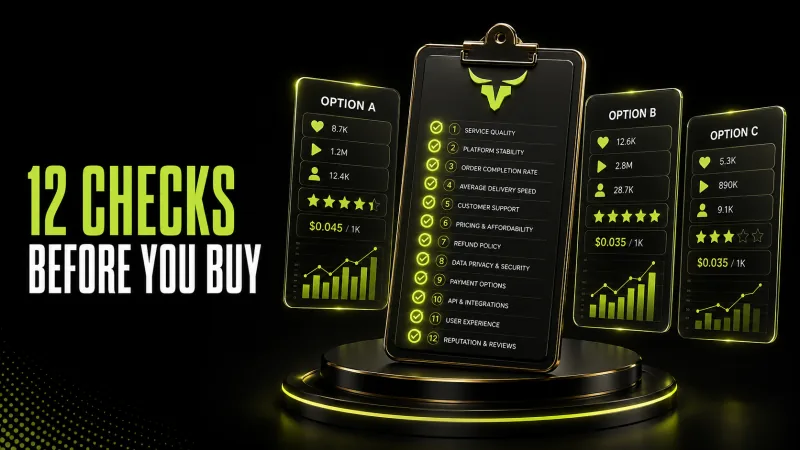
How Agencies Evaluate an SMM Panel: 12 Checks Before Sending Client Orders
The cheapest rate on a service list rarely tells an agency whether an SMM panel is usable. Client work adds deadlines, approvals, reporting, margin pressure, and reputational risk. A small price advantage can disappear after one incorrect link, an overlapping order, or three days spent chasing an unclear status.
A better evaluation starts with the full operating system around the order. Can your team identify the right service? Does the description set realistic expectations? Can you trace every order back to a client and campaign? What happens when delivery is partial or a count changes later? This guide gives agencies a practical framework for answering those questions before moving meaningful volume to any provider.
Define the job before comparing panels
Start with a written use case. List the platform, target object, quantity range, deadline, countries if relevant, expected delivery pattern, reporting needs, and the client's real business goal. “We need Instagram growth” is too vague. “We need a controlled test on three public Reels, with separate order records and a report due Friday” is actionable.
This prevents rate-sheet shopping across services that are not equivalent. Two services may both mention views while differing in accepted links, minimum quantity, delivery speed, refill coverage, targeting, and measurement. Compare services against the same use case, not against a shared label.
Separate client expectations from panel mechanics. An order can complete as described without producing sales, organic reach, or platform recommendations. Agencies should never turn a delivery estimate into a guarantee of business performance.
Check 1: Service descriptions must be operational
A usable description answers what link is accepted, what is delivered, the minimum and maximum, expected start time, delivery speed, refill terms, and important restrictions. Vague labels force account managers to guess and make quality control almost impossible.
Create an internal service card for every approved item. Record its current service ID, platform, purpose, link example, Min, Max, start estimate, refill window, last test date, and owner. Review the live description before every large batch because service details can change.
Do not rely on a screenshot from months ago. The current order page and current terms are the source of truth at the time an order is placed.
Check 2: Test start time and completion separately
Start time is when processing begins. Completion time is when the requested delivery has finished or reached another final status. Agencies often promise the second based on the first, then miss a client deadline.
Run a small test and log order creation, first observable movement, and final status. Repeat at different times before declaring a dependable range. One order is an anecdote, not a service-level benchmark.
Add buffer to client timelines. External platforms, queues, link visibility, and service maintenance can affect delivery. If a launch cannot tolerate variance, the workflow needs an escalation plan and a backup—not a stronger promise.
Check 3: Read refill terms as conditions
“Refill” does not mean every decrease is automatically replaced forever. Coverage may depend on the selected service, warranty period, start count, current count, link status, and whether other orders overlap. The agency must know the claim channel and required evidence before selling coverage to a client.
Capture the start count and a screenshot before ordering. Store the order ID, completion date, current count, and any overlapping activity. If the count falls below the original baseline, attribution can become difficult because the decrease may include pre-existing or external activity.
Write client-facing wording that mirrors the provider's actual terms. Avoid phrases such as permanent, guaranteed never to drop, or risk-free unless a specific written agreement truly supports them.
Check 4: Validate links without credentials
Most standard orders should use a public link. Your team should not request a client's password or one-time code. Confirm the link in a private browsing window, make sure it resolves to the intended post or profile, and remove tracking fragments or accidental spaces when the service requires a clean URL.
Build a link checklist by platform. Profile URLs, post URLs, video URLs, playlist URLs, and channel URLs are not interchangeable. A valid link can still be the wrong object for the chosen service.
Require a second review for high-value batches. A 30-second link check costs less than correcting orders sent to the wrong asset.
Check 5: Understand every order status
Your operations team should share one definition for Pending, Processing or In Progress, Completed, Partial, Canceled, and any custom status used by the panel. Completed describes the system's order state; it is not a promise that a public platform count can never change.
Partial commonly means only part of the quantity could be delivered and the undelivered portion was credited according to the order calculation. Canceled typically means the order stopped and an applicable balance was returned to the panel wallet. Confirm the exact behavior in the provider's documentation.
Set an escalation threshold for each status. Account managers should know when to wait, when to open a ticket, and when not to place a duplicate order.
Check 6: Prevent overlapping orders
Two orders targeting the same link at the same time can create incorrect baselines, overdelivery, delayed processing, or refill ambiguity. The risk increases when different team members or suppliers work on the same client.
Use a central order register with a link-level lock. Before submitting, search the exact URL and confirm that no active order conflicts with the new one. Release the lock only after the earlier order reaches a final state and the account owner verifies it.
This simple control is more valuable than a complex dashboard that does not prevent duplication.
Check 7: Measure support with real cases
“24/7 support” is a useful availability statement, but agencies also need resolution quality. Test support with a clear, low-risk question. Evaluate response time, whether the answer addresses the exact service, what evidence is requested, and whether updates stay in one ticket thread.
Good agency tickets include the order ID, service, link, status, timestamps, start count, current count, and concise requested action. Never send passwords, one-time codes, or unrelated client data.
Track median first response and median resolution across your own tickets. Your experience is more decision-useful than a headline claim.
Check 8: Calculate true order cost
Panel rate is only one component. True cost includes wallet funding fees, exchange-rate movement, failed or partial delivery handling, staff time, client support, reporting, rework, and a risk buffer.
For each service, calculate gross margin after operational cost—not before it. A lower rate with frequent manual intervention can be less profitable than a higher rate with stable documentation and clean reporting.
Keep client funds and panel wallet controls separate. Set approval limits, low-balance alerts, and a rule for who may fund or place large orders.
Check 9: Review payment and account controls
Confirm available payment methods, credit timing, transaction records, refund form, and wallet terms. Use a dedicated business account, strong unique credentials, and multi-factor authentication when available. Limit panel access to staff who actually place or audit orders.
Reconcile wallet movements with client jobs. Every charge should map to an internal campaign ID. Unmapped charges are an operations problem even when the amount is small.
If your agency uses USDT or another irreversible method, add an address-verification step and a second approval for material transfers.
Check 10: Assess API readiness before integration
An API can reduce manual work, but it also scales mistakes. Before connecting production systems, validate service discovery, order creation, status polling, balance handling, idempotency controls, timeout behavior, error messages, and audit logs.
Never assume a failed network response means an order was not created. Your integration should check existing records before retrying. Store the provider order ID alongside your internal job ID and protect credentials as secrets, not as values in a spreadsheet or front-end code.
Start with a sandbox if offered, then a low-value production test. Keep a manual review gate until status mapping and duplicate prevention have been proven.
Check 11: Make reporting transparent
Client reports should separate ordered quantity, delivered status, public platform metrics, paid advertising, and organic results. Combining them into one unexplained growth number makes the report look stronger but removes its decision value.
Include the measurement window, baseline, order IDs or an internal reference, costs, exceptions, and next action. State that public counts can change and that attribution is limited when multiple activities run together.
The agency's value is not a larger screenshot. It is the ability to explain what happened, what it cost, what remains uncertain, and what should change next.
Check 12: Review policy and reputation risk
Platform rules and provider terms can change. Agencies should understand the policies relevant to each client and avoid claims that a service is universally safe or guaranteed to influence an algorithm. Do not fabricate reviews, impersonate customers, or misrepresent ordered engagement as verified consumer experience.
Add a suitability review for regulated, political, health, financial, or high-reputation accounts. Some clients should not use certain tactics at all. A panel being technically available does not make every use appropriate.
Document client approval and the scope of work. Clear records protect both the client relationship and your internal team.
A practical 3-stage vendor test
Stage one is documentation review. Shortlist only providers whose service details, terms, support route, payment records, and security controls meet your minimum standard.
Stage two is a controlled test. Place small orders across the exact services you expect to use. Record link validation, start time, completion, public count, status accuracy, support, and reconciliation.
Stage three is limited production. Route a small percentage of eligible work to the provider for several cycles. Expand only after the data is consistent and your team can operate the workflow without exceptions becoming routine.
Red flags agencies should not ignore
- Universal guarantees about sales, organic reach, account safety, or permanent results
- Service descriptions that omit link type, Min, Max, speed, and refill conditions
- Pressure to share passwords or one-time authentication codes
- No traceable order IDs, payment history, or support tickets
- Duplicate orders created after an uncertain network response
- Client reporting that mixes paid, ordered, and organic metrics without labels
- A rate so low that no one can explain the delivery model or support process
One red flag may be a documentation gap. Several together indicate operational risk. Pause and investigate before scaling.
Questions to ask during a BullLike test
BullLike lists services across 100+ platforms, processing features, payment options, referral tools, and 24/7 support. That breadth is useful only after an agency narrows it to an approved catalogue for its own use cases.
Ask which current service matches the exact link and objective, what the live Min and Max are, how start and speed are defined, whether refill is included, what evidence a ticket needs, and whether an API action is safe to retry. Verify the answers against the current service page and your own test data.
Use BullLike as one component in a documented workflow—not as a substitute for strategy, content, advertising, or client communication.
Final agency checklist
Before sending client volume, confirm service fit, link format, baseline, quantity, total charge, active-order lock, timing buffer, refill language, support path, reporting fields, policy suitability, and client approval. If any item is unknown, the order is not ready.
The strongest SMM panel for an agency is not simply the one with the lowest public rate. It is the one your team can test, document, reconcile, support, and explain to a client without turning uncertainty into a promise.